Why Apple Watches Get Lost
Despite being worn on your wrist, Apple Watches get lost more often than you'd think:
- Removed for charging and forgotten
- Taken off during activities
- Fallen off during sleep
Method 1: Bluetooth Signal Detection
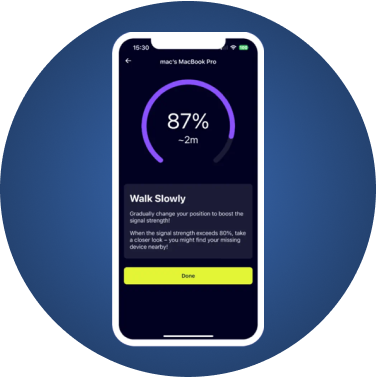
Your Apple Watch emits a Bluetooth signal that FindMyGear can detect:
Steps:
- Open FindMyGear on your iPhone
- Look for "Apple Watch" in the device list
- Follow the signal strength indicator
- Move toward stronger signals
Method 2: Apple's Find My App
Apple's built-in solution:
- Open Find My on iPhone
- Select Devices tab
- Choose your Apple Watch
- Use "Play Sound" or view on map
Note: Requires watch to have battery and be in range of known WiFi or another Apple device.
Method 3: Ping from iPhone
If your watch is nearby:
- Open Control Center on iPhone
- Tap the iPhone icon
- Your watch will ping
Which Method is Best?
| Method | Works Offline | Shows Distance | Works When Dead |
|--------|--------------|----------------|-----------------|
| FindMyGear | Yes | Yes | No |
| Find My | No | No | No |
| Ping | Yes | No | No |
Finding a Dead Apple Watch
If your watch battery died:
- Check the last known location in Find My
- Search common charging spots
- Use FindMyGear to scan for other devices you may have lost nearby
Prevention Tips
- Consistent charging spot - Always charge in the same place
- Enable Find My - Ensure it's turned on
- Regular syncs - Keep watch connected to phone daily
- Notification on disconnect - Get alerts when watch disconnects
Conclusion
A lost Apple Watch is stressful, especially given its cost. Using FindMyGear alongside Apple's built-in tools gives you the best chance of recovery. The Bluetooth signal detection is particularly useful when the watch is nearby but hidden.