Act Before the Battery Runs Out
A hearing aid is small, expensive and easy to lose: it falls out when you take off a mask or a sweater, it slips into a pocket, or the dog carries it off. Most modern hearing aids use Bluetooth to connect to your phone, and that is good news, because a hearing aid that is switched on and has charge is giving off a signal you can follow.
The catch is time. Once it runs out of power, or switches itself off, it goes silent. So start searching electronically right away, and do the hands-and-knees search second.
Step 1: Use Your Brand's Finder First
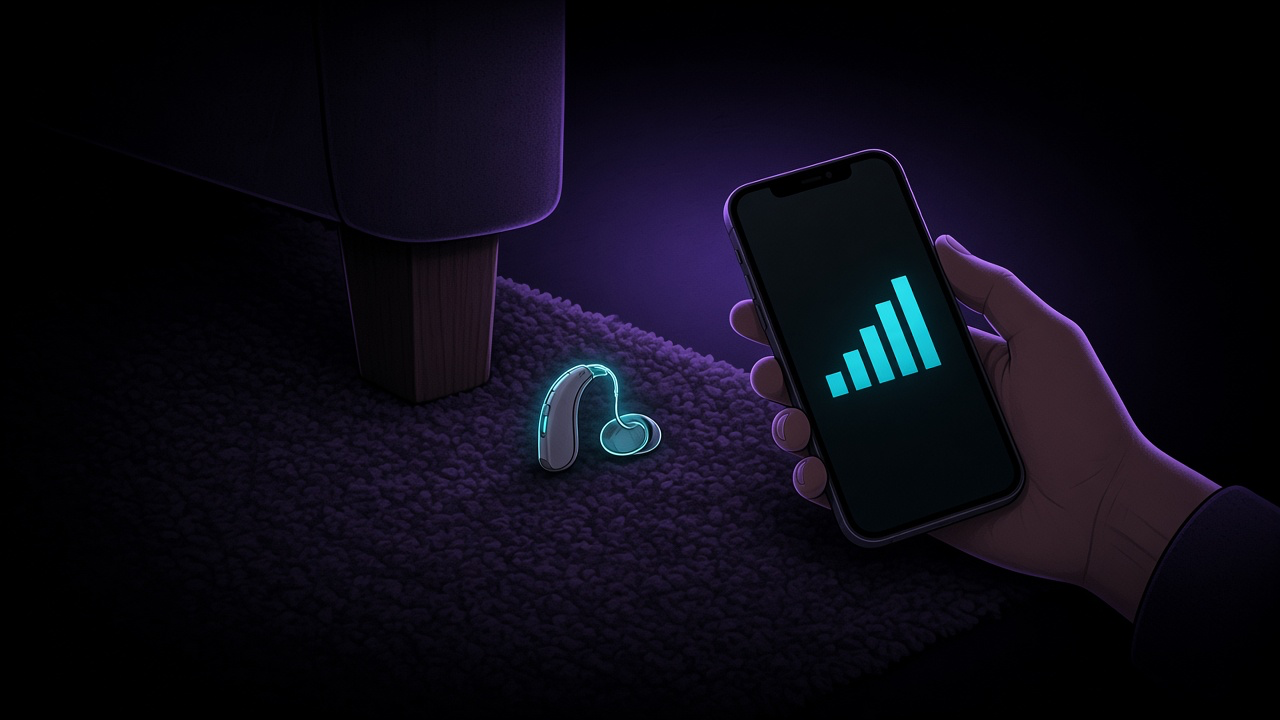
Most major brands now build a finder into their app. They show where the hearing aids were last connected and then guide you closer using signal strength.
- Phonak: the myPhonak app has a Find my Hearing Aids feature that shows the last known location where your hearing aids were connected and uses signal strength to guide you closer, according to Phonak's support page.
- Oticon: the Oticon Companion app has Find my hearing aids, with a map and two proximity bars, one per ear. A green icon means connected, a red one means the connection has been lost and shows when it was last connected. Oticon says to set the app's location access to Always.
- Philips: the HearLink 2 app works the same way, as described on Philips' support page.
- Starkey: the My Starkey app's Find My Hearing Aids is under My Hearing. Its user manual notes that the signal bars appear only if the hearing aid has power and is connected.
- ReSound: in the Smart 3D app, go to My ReSound, then Find my hearing aid. ReSound's quick guide says the hearing aids must be on for this to work.
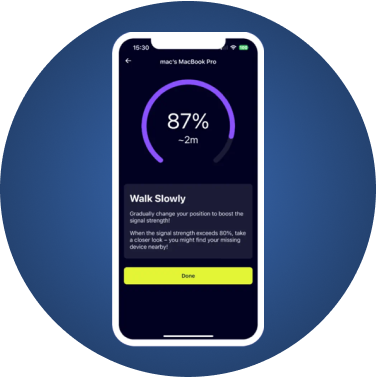
Move slowly when you follow the bars. Oticon's own advice is to walk slowly so your phone can keep up, and so you don't step on the hearing aid.
Step 2: If Your App Has No Finder, Use a Bluetooth Scanner
Not every app has this feature, and older hearing aids may not support it. On the HearingTracker forum, users of some Signia models say their app shows only battery level, and they describe finding lost aids with a general Bluetooth signal-strength app instead, one of them in the snow.
- Open a Bluetooth scanner such as FindMyGear.
- Look for your hearing aid in the list. Many show up under the brand or model name.
- Tap it and walk slowly. The reading rises as you get closer.
- When it peaks, search at floor level: carpets, under furniture, inside shoes and clothes.
Bluetooth passes through walls and floors, so a strong reading can mean the hearing aid is in the room above or below you.
Where Lost Hearing Aids Usually Turn Up
- On the floor near where you undressed. Masks, scarves, hats and sweaters pull hearing aids off as they come over your head.
- In bed. Under the pillow, between the mattress and the wall.
- In pockets and bags. Especially if you took them out for a phone call or a nap.
- With the dog. Pets are drawn to hearing aids. If you have a dog, search its bed and favourite spots early.
- In the car. Under the seats and in the seat-belt area.
Before you vacuum, search. A hearing aid that ends up in a vacuum bag is often damaged.
If You Use AirPods Pro as Hearing Aids
AirPods Pro 2 and AirPods Pro 3 offer a clinical-grade Hearing Aid feature for adults with perceived mild to moderate hearing loss. Because they are AirPods, Apple's Find My app can locate them. Apple's Find your AirPods guide explains how to see their location, play a sound, and find the precise location of the AirPods Pro 2 or Pro 3 charging case. For the full walkthrough, see our guide to finding lost AirPods.
If You Can't Find It
- Call your hearing care professional. Many hearing aids are sold with loss and damage cover for a set period. Ask what your package includes and what the excess is.
- Check your home insurance. Some policies cover hearing aids as personal possessions.
- Report it to places you visited. Gyms, shops and restaurants often keep lost-property boxes.
Make the Next Loss Easier
- Turn on your app's finder now and allow location access, so the next loss comes with a last known location.
- Use a retention cord or clip during sports, gardening or travel.
- Keep one place for them at night: the charger or the case, always in the same spot.
- Install a scanner in advance if your brand's app has no finder.
What FindMyGear Can and Can't Do Here
FindMyGear shows the Bluetooth devices broadcasting around you, hearing aids included, with a reading that rises as you get closer. It does not need an account or pairing, and it is a useful backup when your brand's app has no finder.
It cannot find a hearing aid that is switched off or out of power, and it cannot make it play a sound.
This article is general information, not medical advice. For anything about fitting, damage or replacement, speak to your hearing care professional.