The Short Answer
To reset an Apple Watch fully, unpair it from its iPhone: open the Apple Watch app, go to My Watch > All Watches, tap the info button next to the watch, then tap Unpair Apple Watch. That restores factory settings and removes Activation Lock. Without the iPhone, you can still erase the watch itself, but Activation Lock stays on.
Pick the method by your situation:
| Your situation | What to do | Erases the watch | Removes Activation Lock |
|---|---|---|---|
| Selling it, giving it away, or starting over, and you have the iPhone | Unpair in the Apple Watch app | Yes | Yes |
| You don't have the paired iPhone | Erase in Settings on the watch | Yes | No |
| You forgot the watch passcode | Reset on the charger | Yes | No |
| Pairing is stuck on the animation | Hold the Digital Crown, tap Reset | Not stated by Apple | Not stated by Apple |
| The watch is frozen or misbehaving | Restart or force restart | No | No |
Apple Watch has no reset button or SIM slot. Apple warns that the holes in the case are for sound and water-depth measurement, so don't push anything into them.
How to Unpair Apple Watch From Your iPhone
This is the method Apple recommends, and the only one here that removes Activation Lock. Have your Apple Account password ready.
- Keep your Apple Watch and iPhone close together.
- Open the Apple Watch app on your iPhone.
- Go to the My Watch tab and tap All Watches.
- Tap the info button next to the watch you want to unpair.
- Tap Unpair Apple Watch, then tap Unpair [your watch's name].
- If the watch has a cellular plan, choose whether to keep or remove it. Keep it if you'll pair this watch and iPhone again; remove it if you're selling or giving the watch away.
- Type your Apple Account password to disable Activation Lock, then tap Unpair.
When it finishes, set the watch up again or turn it off. These steps come from Apple's unpair guide.
How to Reset Apple Watch Without the Paired iPhone
If you no longer have the iPhone, erase the watch from its own settings:
- On the watch, open Settings.
- Tap General, then Reset.
- Tap Erase All Content and Settings.
- Type your passcode if asked.
- For a cellular watch, choose whether to keep or remove the plan.
- Tap Erase All to confirm.
The watch is back to factory settings, but Activation Lock remains. To set it up again, you'll need the Apple Account and password that were used with it.
How to Reset Apple Watch Without a Passcode
Forgot the passcode? You have two options, both from Apple's passcode guide.
On the watch itself
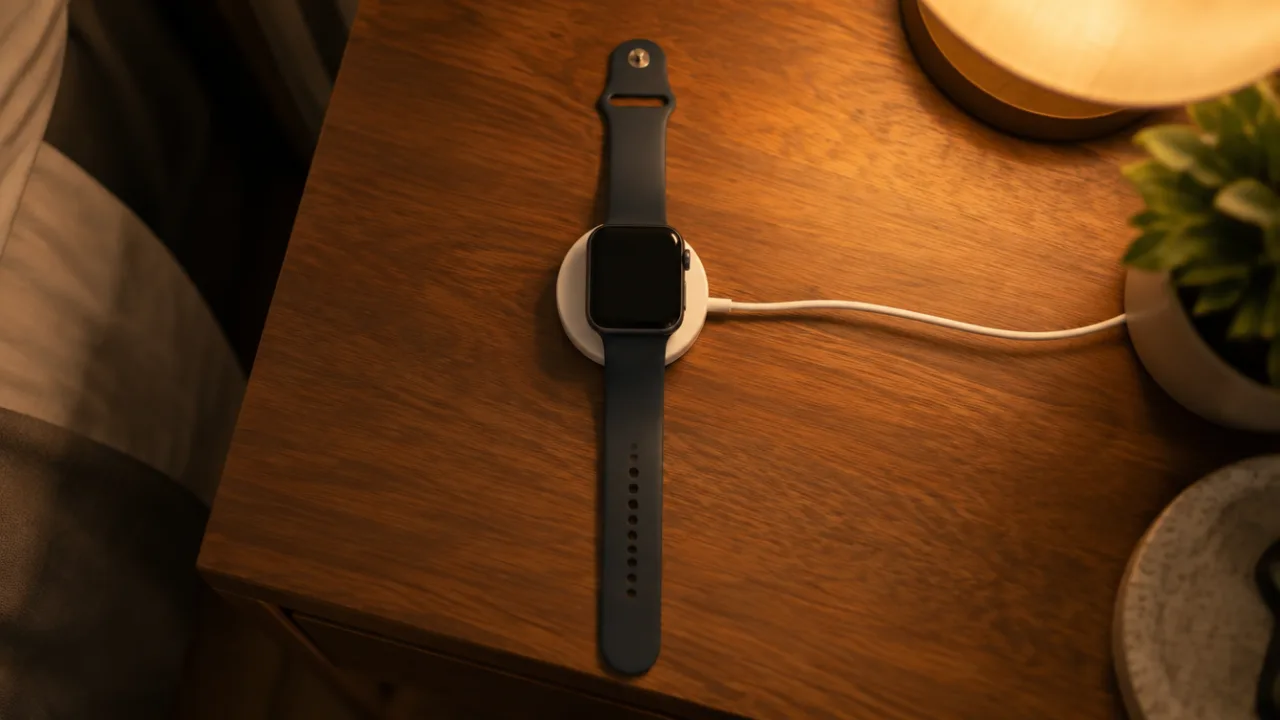
- Put the watch on its charger and leave it there until you finish.
- Press and hold the side button until you see the power button in the upper-right corner of the display.
- Press and hold the Digital Crown until you see Erase all content and settings.
- Tap Reset, then tap Reset again to confirm.
On an earlier version of watchOS, you see a Power Off slider instead of the power button.
Then set the watch up again and restore from a backup when asked. Apple says a backup of the watch's contents is created on your iPhone before it's erased.
With the paired iPhone
- Keep the watch and iPhone close together.
- Open the Apple Watch app and tap the My Watch tab.
- Tap General, then Reset.
- Tap Erase Apple Watch Content and Settings, then tap it again to confirm. You might need your Apple Account password.
- For a cellular watch, choose whether to keep or remove the plan.
Then set the watch up again and restore from a backup when asked.
The on-watch reset doesn't remove Activation Lock. If you're selling the watch and still have the iPhone, unpair it instead.
How to Reset Apple Watch to Sell or Give Away
- Unpair it from your iPhone, as described above. Don't just erase it.
- Tap to remove the cellular plan when asked. Contact your carrier if you also want to cancel the subscription.
- Enter your Apple Account password so Activation Lock turns off.
- Turn the watch off.
Activation Lock requires the owner's Apple Account details before anyone can pair the watch with a new iPhone, so the next owner can't use it while the lock is on. If you buy a used watch and it asks for someone else's account, the previous owner has to enter those details or remove the lock.
To check whether the lock is on: in the Apple Watch app, tap All Watches, then the info button. If you see Find My Apple Watch, Activation Lock is on.
How to Restart Apple Watch
A restart doesn't erase anything, so try it first if the watch is only misbehaving. From Apple's restart guide:
- Take the watch off the charger. You can't restart it while it's charging.
- Press and hold the side button until the sliders appear.
- Tap the power button, then drag the Power Off slider to the right.
- To turn it back on, hold the side button until the Apple logo appears.
Force restart a frozen Apple Watch
If you can't turn it off, hold the side button and the Digital Crown at the same time for at least 10 seconds, until the Apple logo appears. Apple says to do this only if a normal restart isn't possible.
If Pairing Gets Stuck
If the pairing animation stays on the screen for several minutes, press and hold the Digital Crown while the watch is in pairing mode, tap Reset when it appears, then pair again.
If your iPhone says it can't connect or the watch shows a clock face, the watch may already be paired. Unpair or erase it first using the steps above.
How to Pair Apple Watch Again
After a reset, set the watch up like a new one:
- Turn the watch on by holding the side button until the Apple logo appears, then put it on.
- Unlock your iPhone and check that Bluetooth is on and it's connected to Wi-Fi or a cellular network.
- Hold the watch close to the iPhone. When "Use your iPhone to set up this Apple Watch" appears, tap Continue. If it doesn't appear, open the Apple Watch app, tap All Watches, then Add Watch.
- Center the watch face in the iPhone's viewfinder until a message says the watch is paired. If the camera can't read it, tap Pair Apple Watch Manually.
- Set it up as new or restore from a backup.
Apple Watch Series 12 and Ultra 4 need an iPhone 11 or later with iOS 27 or later. Apple Watch SE 3 needs an iPhone 11 or later with iOS 26 or later.
Can't Find the Watch You Want to Reset?
A misplaced watch has to be found before you can do any of this on the device. Our guide to finding a lost Apple Watch covers Find My and the search at home. FindMyGear, our app, lists the Bluetooth devices around your iPhone with a live signal reading that rises as you get closer, which helps when the watch is nearby but out of sight.
FAQ
Does resetting an Apple Watch remove Activation Lock?
Only unpairing from the iPhone does. Erasing on the watch or resetting on the charger leaves Activation Lock on.
How do I reset my Apple Watch to factory settings?
Unpair it in the Apple Watch app on your iPhone. Without the iPhone, go to Settings > General > Reset > Erase All Content and Settings on the watch.
Can I reset an Apple Watch without the Apple Account password?
You can erase it with the charger method, but you can't set it up again until someone enters the Apple Account and password used with it.
What's the difference between restarting and resetting?
Restarting turns the watch off and on and keeps your data. Resetting erases its content and settings.
Is the passcode the same as the Apple Account password?
No. The passcode unlocks the watch. The Apple Account password is what turns off Activation Lock.