The Short Answer
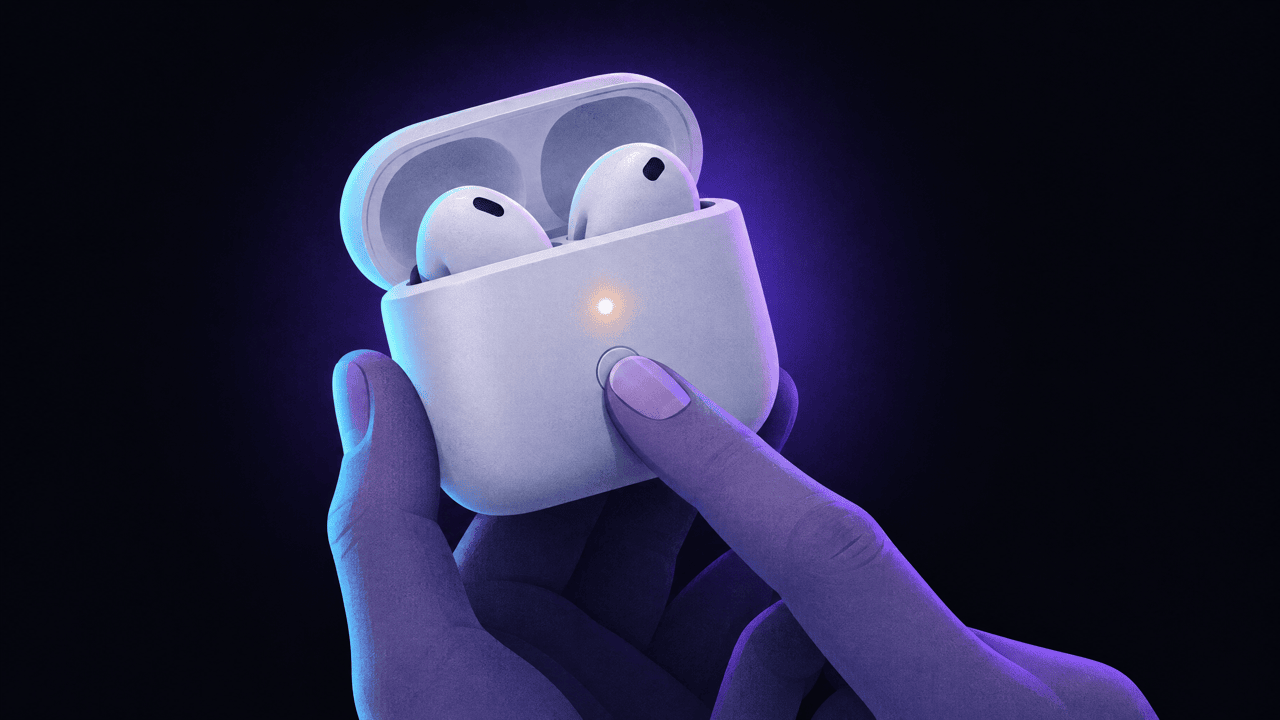
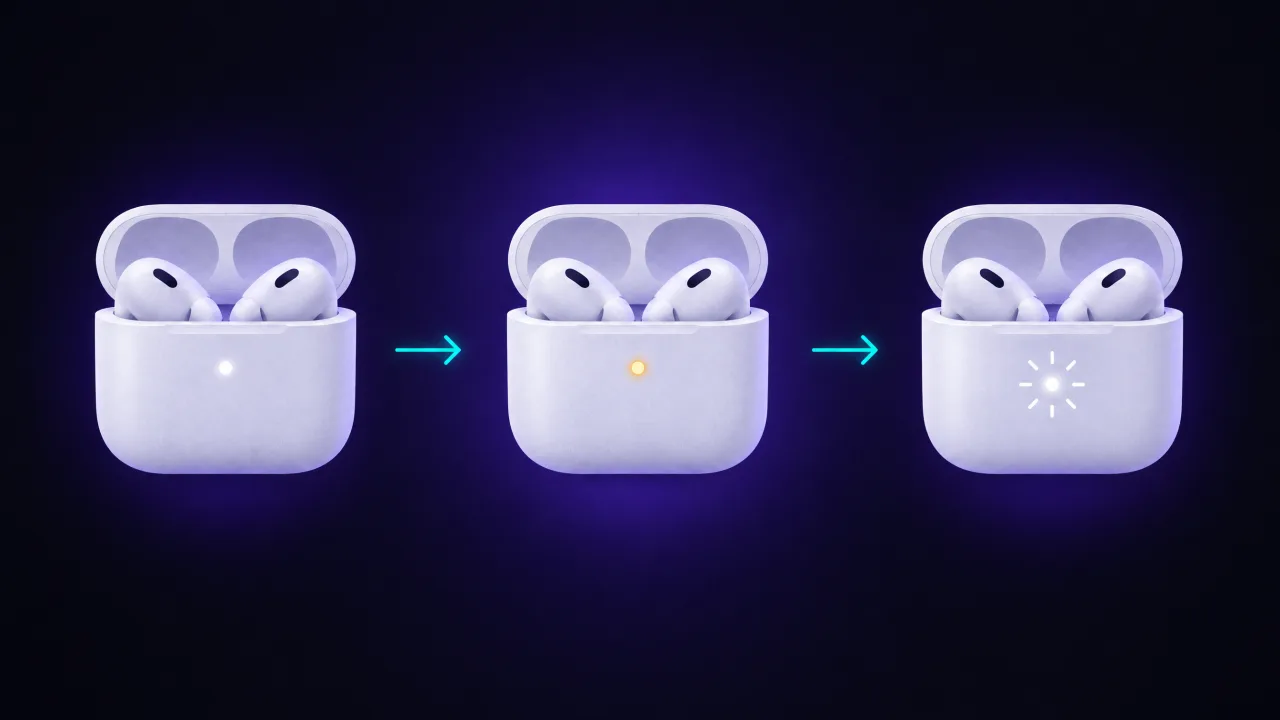
To reset AirPods or AirPods Pro, put them in the case, close the lid and wait 30 seconds. Forget them on your iPhone in Settings > Bluetooth. Then open the lid and either hold the setup button on the back of the case for about 15 seconds (older models) or double-tap the front of the case three times (AirPods 4, AirPods 5 and AirPods Pro 3). When the light flashes amber, then white, the reset worked.
AirPods Max are different: hold the listening mode button and the Digital Crown for 15 seconds.
A reset does not remove AirPods from someone else's Apple Account. If you bought them used, read the section on Find My Lock below before you start.
Which Reset Method Fits Your AirPods
Apple splits the models into two groups in its reset guide, plus AirPods Max with their own guide.
| Model | How to reset | Success signal |
|---|---|---|
| AirPods (1st, 2nd, 3rd generation), AirPods Pro (1st and 2nd generation) | Hold the setup button on the back of the case for about 15 seconds, lid open | Light flashes amber, then white |
| AirPods 4, AirPods 5, AirPods Pro 3 | Double-tap the front of the case three times, lid open | Light flashes amber, then white |
| AirPods Max | Hold the listening mode button and the Digital Crown for 15 seconds | LED flashes amber, then white |
Not sure which you have? AirPods 4, AirPods 5 and AirPods Pro 3 have no button on the case; if you can't find one on the back, use the double-tap method.
How to Reset AirPods and AirPods Pro (Setup Button)
For AirPods 1, 2 and 3 and AirPods Pro 1 and 2:
- Put both AirPods in the charging case and close the lid. Wait 30 seconds.
- On your iPhone or iPad, open Settings > Bluetooth.
- If your AirPods are listed under My Devices, tap the More Info button next to them, tap Forget This Device and confirm.
- Open the lid of the case.
- Press and hold the setup button on the back of the case for about 15 seconds, until the status light flashes amber, then white.
- With the lid open, hold the case next to your iPhone and follow the setup steps on the screen.
How to Reset AirPods 4, AirPods 5 and AirPods Pro 3 (Double-Tap)
These cases have no setup button. Apple's steps:
- Put both AirPods in the case and close the lid. Wait 30 seconds.
- Forget them in Settings > Bluetooth, as above.
- Open the lid.
- Double-tap the front of the case while the status light is on.
- Double-tap again when the light flashes white.
- Double-tap a third time when the light flashes faster.
- When the light flashes amber, then white, follow the setup steps on your iPhone.
The taps need to land on the front of the case, near the light, not on the lid. If nothing happens, close the lid, wait 20 seconds and start again.
How to Reset AirPods Max
According to Apple, charge AirPods Max to at least 50% first, unless they won't charge at all; then go straight to the reset.
- Press and hold the listening mode button and the Digital Crown together for 15 seconds.
- Let go when the LED flashes amber, then white.
- Pair them again from Settings > Bluetooth or by holding them next to your iPhone.
Holding the same two buttons only until the LED flashes amber is a restart, not a reset. Try the restart first if they just stopped responding.
Reset vs Restart vs Forget
These three get mixed up, and they fix different things:
- Forget This Device removes the AirPods from one iPhone or iPad. The AirPods themselves don't change.
- Restart (AirPods Max only: both buttons until amber) reboots the headphones and keeps your settings.
- Reset returns the AirPods to factory settings: names, gestures and pairing with all your devices are cleared. You set them up again from scratch.
If your AirPods only misbehave on one device, forgetting them there is often enough. If they're broken everywhere, reset them. For connection problems specifically, our guide to AirPods not connecting walks through the checks to do before a reset.
If the Light Doesn't Flash White
Apple suggests:
- Put the AirPods in the case, close the lid and wait 20 seconds.
- Open the lid.
- Repeat the reset step for your model until the light flashes amber, then white.
- Keep the lid open, hold the case near your iPhone and follow the prompts.
Also check that both AirPods are actually charging. If the case is flat or one AirPod doesn't sit on its contacts, the reset can fail. Apple's guide for when one AirPod isn't working recommends cleaning the case port, charging both AirPods for 30 seconds and checking each one's charge on the battery widget.
Used AirPods: "Paired to Another Apple Account"
AirPods that work with the Find My network (AirPods 3 and newer, every AirPods Pro, AirPods Max) can be locked to their owner's Apple Account through Find My. Apple calls this Find My Lock. If you see a message in Find My saying the AirPods are paired to another Apple Account, a reset won't fix it. Apple's guide to items connected to another Apple Account is clear: only the previous owner can remove them, and "Apple can't remove Find My Lock for you."
What the previous owner has to do, on their iPhone:
- Open Find My and tap Devices.
- Tap the AirPods, then the Details button.
- Tap Remove This Device, then Remove to confirm.
Or at icloud.com/find: sign in, pick the AirPods from the device list and choose Remove. Apple says this goes faster if the AirPods are connected and nearby during the removal.
If the previous owner can't be reached, reset the AirPods anyway. You still won't be able to add them to your own Apple Account, but Apple notes that the reset stops them from sharing your location with the previous owner.
That last point matters. Second-hand AirPods that are still linked to someone else's account behave like any Find My accessory: their owner can see where they are. If you were given AirPods and something feels off, our guide on how to scan for hidden trackers with your iPhone explains what your iPhone does and doesn't warn you about.
Before You Sell or Give Away AirPods
- Keep the AirPods next to your iPhone, connected.
- Remove them in Find My (Devices > AirPods > Details > Remove This Device).
- Forget them in Settings > Bluetooth.
- Reset them with the method for your model.
Buying used? Ask the seller to do steps 1–3 in front of you, then set the AirPods up on your own iPhone before you pay.
What a Reset Doesn't Do
- It won't find lost AirPods. A reset needs the case in your hand; if one AirPod or the case is missing, start with our guide to finding lost AirPods.
- It won't fix a dead battery or a hardware fault. If a reset doesn't help, Apple sells replacements through AirPods service.
- It won't remove Find My Lock, as above.
FAQ
How long do you hold the button to reset AirPods?
About 15 seconds, until the status light flashes amber, then white. AirPods 4, AirPods 5 and AirPods Pro 3 have no button; you double-tap the front of the case three times instead.
Does resetting AirPods remove them from Find My?
No. A reset clears the AirPods themselves; the link to the owner's Apple Account stays until the owner removes the AirPods in Find My or at icloud.com/find.
Can I reset AirPods without the case?
No. Every AirPods and AirPods Pro reset is done from the case, with both AirPods inside. AirPods Max have no case and reset with their own buttons.
Can I reset AirPods without a phone?
Yes. The reset itself happens on the case, so you don't need a phone for it. You need an iPhone, iPad or Mac (or another Bluetooth device) only to set them up again afterwards.